
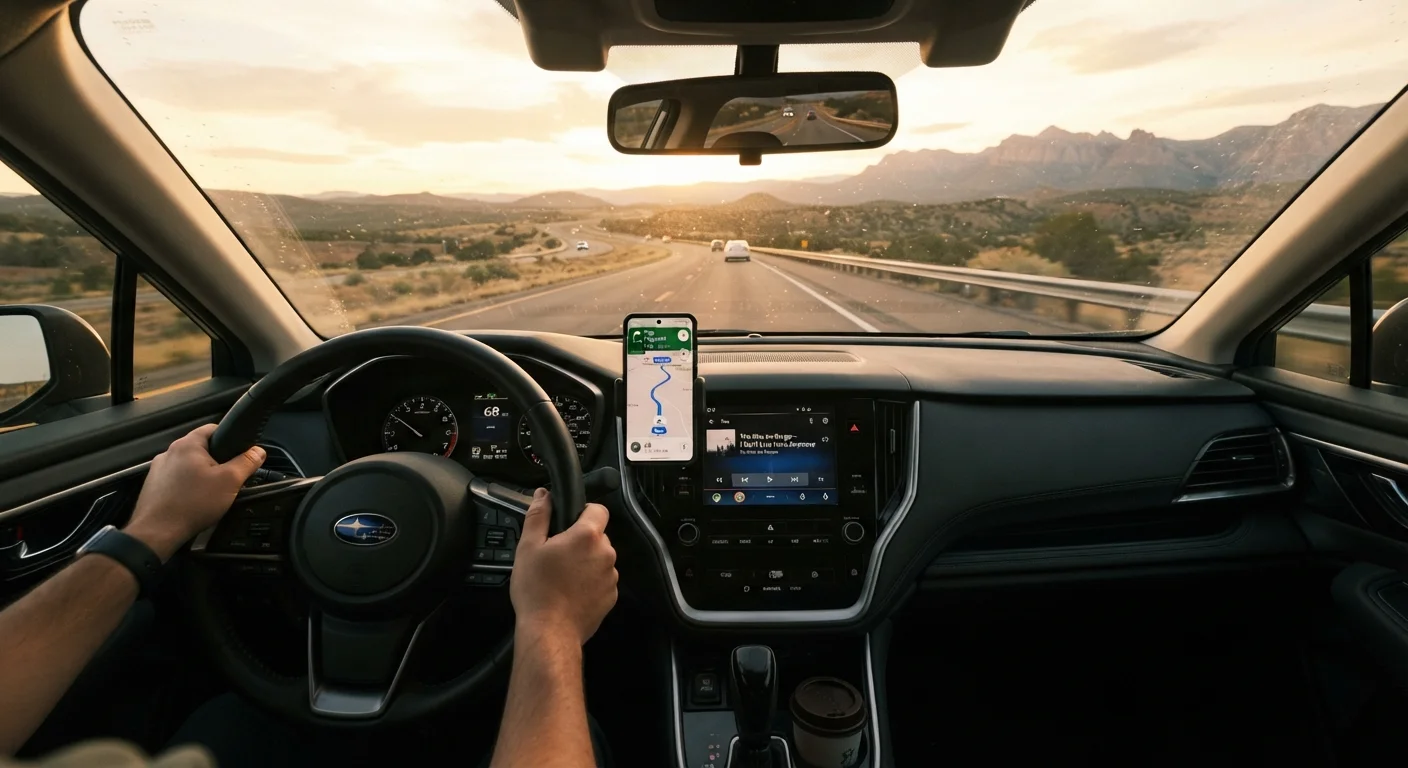
Dedicated GPS Devices: Reliable but Narrowly Focused
Standalone GPS units - the kind mounted on a suction-cup arm - built their reputation on one core promise: they work without a cellular signal. They use satellite positioning, carry preloaded maps, and don't compete with music, messages, or low battery warnings. For drivers heading into backcountry areas, remote mountain passes, or international destinations with expensive data roaming, that independence is genuinely valuable.
The drawbacks are real, however. Map data is only as current as your last update, and some manufacturers charge for ongoing map subscriptions. Traffic and incident alerts, when available at all, typically require a separate FM receiver or a Bluetooth-connected phone - which partially defeats the point. The hardware also represents an upfront cost that many drivers won't recoup if they primarily travel routes with solid cellular coverage.
For overlanding and remote camping trips, a dedicated unit is often the sensible anchor of a navigation setup. See the overlanding vs. RV camping comparison for context on how navigation needs differ across adventure styles.
Smartphone Navigation: Flexible, but With Real Dependencies
Navigation apps on smartphones offer live traffic rerouting, crowd-sourced hazard reporting, and continuously updated maps - advantages that dedicated GPS units rarely match. For most drivers on well-traveled interstate routes, a phone is a capable and cost-effective navigator.
The vulnerabilities are worth naming plainly. Smartphone navigation consumes battery at a meaningful rate; without active charging, many phones will drain noticeably over a multi-hour drive. Cellular dead zones - tunnels, mountain corridors, rural stretches - can interrupt live navigation at the worst possible moments. And a phone doing navigation work is also fielding calls and notifications, which adds cognitive noise even with a hands-free mount.
Power management matters here. The road trip power guide covers how to keep devices reliably charged while driving, which is essential if your phone is your primary navigator.
| Dedicated GPS | Smartphone Navigation | Offline Map Apps | |
|---|---|---|---|
| Cellular signal required | No | Yes (for live features) | No |
| Map update frequency | Manual / subscription | Continuous (live) | Periodic download |
| Live traffic alerts | Limited / accessory needed | Yes | No |
| Upfront cost | Moderate to high | Low (app only) | Low to free |
| Battery independence | Yes | No | No |
| Coverage in remote areas | Strong | Weak | Strong |
Offline Maps: The Practical Middle Ground
Several navigation apps allow users to download regional or corridor-specific map data to the device itself, enabling turn-by-turn guidance without any data connection. GPS positioning via satellite remains functional; only real-time traffic and incident overlays are lost. For the majority of road trips, this trade-off is minor.
Downloaded maps do take up meaningful storage space - a full state or country can run several gigabytes. Planning ahead means identifying your route segments and downloading maps before departure, ideally over Wi-Fi. Keep in mind that downloaded maps have expiration windows and need periodic refreshes to stay accurate.
Download Maps Before You Leave Home
Offline map downloads over a cellular connection can be slow and may consume significant data from your monthly plan. Download all route segments over Wi-Fi the evening before departure. Confirm the maps load correctly in airplane mode to verify the download completed successfully.
If your route crosses multiple states or regions, consider downloading maps in segments matching your planned stops. This approach conserves device storage while keeping all necessary data readily accessible.
Phone Mounts: The Overlooked Variable
Even the most capable navigation app is a liability if the phone is propped against the cupholder or balanced on the dash. A stable, well-positioned mount is not a minor accessory - it directly affects how safely and effectively a driver can glance at navigation cues.
The three main mount types each involve trade-offs. Windshield suction mounts offer broad positioning flexibility but are illegal in some states when placed in the driver's sightline - check your state's laws before installing one. Vent clip mounts avoid legal issues and keep the phone at a natural eye level, but they can obstruct airflow and may vibrate on rough roads. Dash adhesive mounts provide the most stable platform but require a clean, flat surface and can be difficult to remove without residue.
Stability matters most on long drives over varied road surfaces. A mount that worked fine on city streets may bounce loose on highway expansion joints or gravel sections. Whatever type you choose, verify it holds securely under realistic driving conditions before departure. Building a complete road-trip kit around reliable navigation, proper storage, and safety is covered in the road trip packing guide.
~35%
US rural areas with limited 4G LTE coverage
Federal Communications Commission coverage maps have historically shown significant gaps in rural cellular access, though exact figures vary by methodology and carrier.
3-6 GB
Typical offline map download size per region
Storage requirements vary by app and geographic area; dense urban regions with detailed POI data tend toward the higher end of the range.
Building a Redundant Navigation Setup
Experienced road-trippers often run two layers: a smartphone with a downloaded offline map as the primary, and either a dedicated GPS unit or a printed route summary as a fallback. The redundancy costs little beyond setup time and pays off most when things go wrong - a dead phone battery, unexpected construction, or a signal gap in exactly the wrong stretch of road.
If you're driving a route that includes long stretches of limited cellular coverage, download your offline maps the night before, charge all devices fully, and have a rough written itinerary of key exits and waypoints. Navigation fatigue is a real factor on multi-day drives; a clearly visible, well-configured navigation screen reduces the small but cumulative cognitive load that contributes to driver fatigue. The driver fatigue guide explores this and related topics in more depth.