
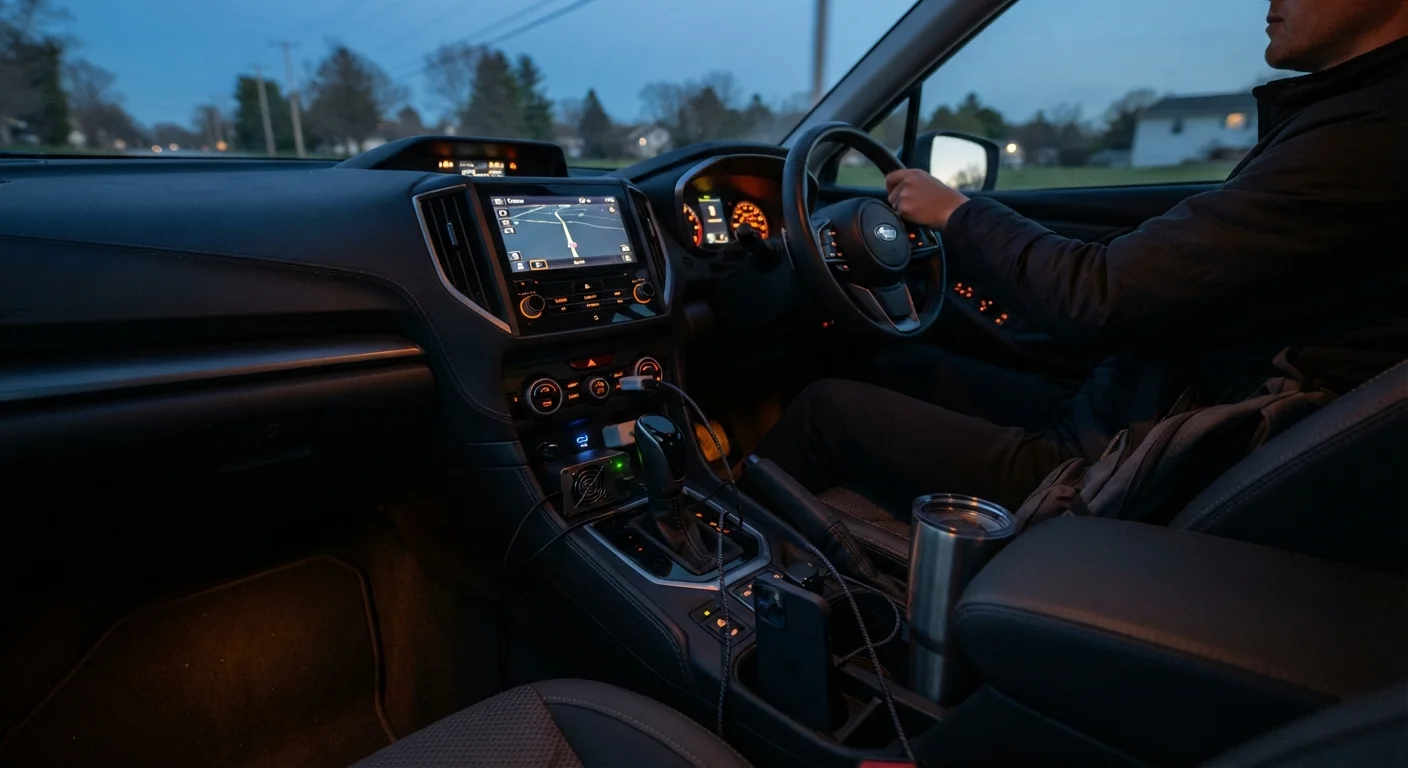
Understanding What Your Vehicle Actually Provides
Most modern vehicles ship with at least one USB-A port, often delivering 5W (5V/1A) or up to 12W (5V/2.4A). Higher-spec trims may include USB-C ports capable of USB Power Delivery (USB-PD), which can output 18W-45W - enough to fast-charge a smartphone or lightly power a small tablet. The familiar cigarette-lighter-style 12V socket typically handles up to 120-180W depending on the vehicle's fuse rating, making it suitable for low-draw accessories rather than high-demand appliances.
Knowing these limits before you leave prevents the frustration of a device that charges slower than it drains, or a blown fuse mid-highway. Check your owner's manual for the fuse amperage on each socket - it's the authoritative source for what your car can safely supply.
For a broader look at what gear is genuinely worth bringing, see our road trip packing guide.
What you will need
How to Set Up and Use a Power Inverter Safely
A power inverter plugs into your 12V socket (or connects directly to the battery via clamp cables for higher-wattage models) and converts DC current to 120V AC - the same current as a wall outlet. This makes it possible to run a laptop charger, a CPAP machine, or a small fan from the road. However, the physics of conversion means you draw more current from the vehicle than the device itself consumes, so matching inverter size to actual need is important.
USB-C Power Delivery Hub
Expands a single USB-C port into multiple outputs, allowing several devices to charge simultaneously from one vehicle port.
Socket-Style Power Inverter (under 150W)
Plugs into the 12V socket to convert DC to 120V AC for low-draw devices like laptop chargers and phone bricks.
Direct-Battery Inverter (150W-400W)
Connects via clamp or ring terminals directly to the battery for higher continuous power needs; requires safe, secure cable routing.
High-Capacity Power Bank (20,000mAh+)
Stores charge during the drive and distributes it to passengers or devices after the engine is off.
Inline Fuse Holder
Protects wiring and the vehicle's electrical system when connecting an inverter directly to the battery.
List Every Device and Its Power Draw
Before purchasing any accessory, write out every device you plan to use: phones, tablets, laptops, dashcams, electric coolers, portable fans. Check the label on each charger or device for its wattage (W) or current draw (A at a given voltage). Add them up - this is your peak demand figure, and it tells you how large an inverter you actually need and whether your vehicle's sockets can handle the load without blowing a fuse.
Match Ports to Devices by Power Output
Plug high-draw devices - laptops and tablets - into the highest-output port available, typically a USB-C PD port or through the inverter. Use lower-output USB-A ports for accessories that charge slowly anyway, like wireless earbuds or GPS trackers. This keeps your fastest ports available for the devices that benefit most from them.
Install the Inverter Correctly
For inverters under 150W, plug directly into the 12V socket and confirm the socket's fuse can handle the draw (divide inverter wattage by 12V to get minimum amps; add 20% headroom). For inverters above 150W, connect directly to the battery terminals using the manufacturer's supplied cables and an appropriate inline fuse rated just above the inverter's maximum current draw. Route cables away from moving parts, heat sources, and pinch points.
Manage Engine-Off Power Use
Running an inverter or multiple USB devices with the engine off draws directly from the 12V starter battery. Most vehicles will show low-battery warnings before shutdown, but it's prudent to limit engine-off charging sessions to short durations. If you regularly camp without hookups, a dedicated auxiliary (second) battery or a power station with its own internal battery is a safer long-term approach than relying on the starter battery alone.
Verify Everything Before Departure
Plug in and test every device and cable before you leave home. Confirm the inverter powers on, check that each USB port is actually delivering charge (not just showing a charging icon), and verify no fuses have blown after a 10-minute full-load test. Catching a faulty cable or underpowered port in the driveway is far less inconvenient than discovering the problem three hours into the drive.
Heat and Enclosed Spaces Are Serious Risks
Power inverters generate heat during operation, especially under sustained load. Never cover an inverter, place it in a confined compartment without airflow, or leave it running unattended for long periods. Overheating can damage the inverter and, in worst cases, pose a fire risk. Choose a mounting location with adequate ventilation and check the unit periodically on long drives.
Filling the Gaps with Power Banks and Charging Strategy
Even a well-equipped vehicle can't reach every seat or charge every device simultaneously. A high-capacity power bank (20,000mAh or above) solves this by acting as a mobile buffer - charge it from the car's USB-C port during the drive, then distribute power to rear passengers or overnight at camp. Look for models that support pass-through charging so they can charge themselves and output to a device at the same time.
When passengers need consistent entertainment or navigation running throughout the trip, the passenger comfort guide covers complementary cabin accessories worth pairing with a solid power setup. If a 12V electric cooler is on your list, review its power draw carefully - these can consume 40-60W continuously, which competes directly with charging needs. Our portable fridges guide breaks down the trade-offs.
Prioritize Power for Navigation
Your phone running GPS navigation, screen-on, with active data is often your single highest-priority charging load - it can drain faster than a weak USB-A port replenishes. Route your navigation device to the highest-output port first, then assign remaining ports to lower-priority devices. Offline maps loaded before departure can also reduce the processing and data load, helping extend battery life on marginal charging setups.
For navigation specifically - a reliable power supply to your phone mount is non-negotiable. A weak USB-A port may not keep pace with a phone running GPS, screen brightness high, and mobile data active simultaneously. Our navigation on long drives guide covers power-conscious setups. And if you want to understand what vehicle battery drain really looks like over time, battery health habits is worth a read before departure.